Navigate to the Human Resources > Settings tab and select into the Salary type tab. 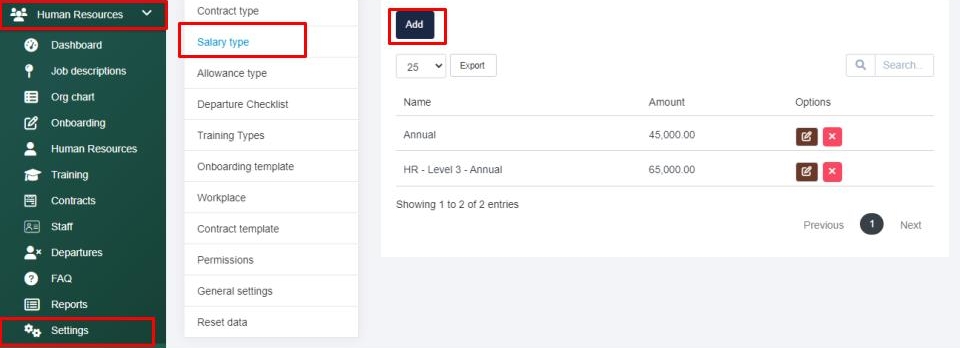
Next select the Add button, type in the salary type name and enter the amount then Save your salary type. 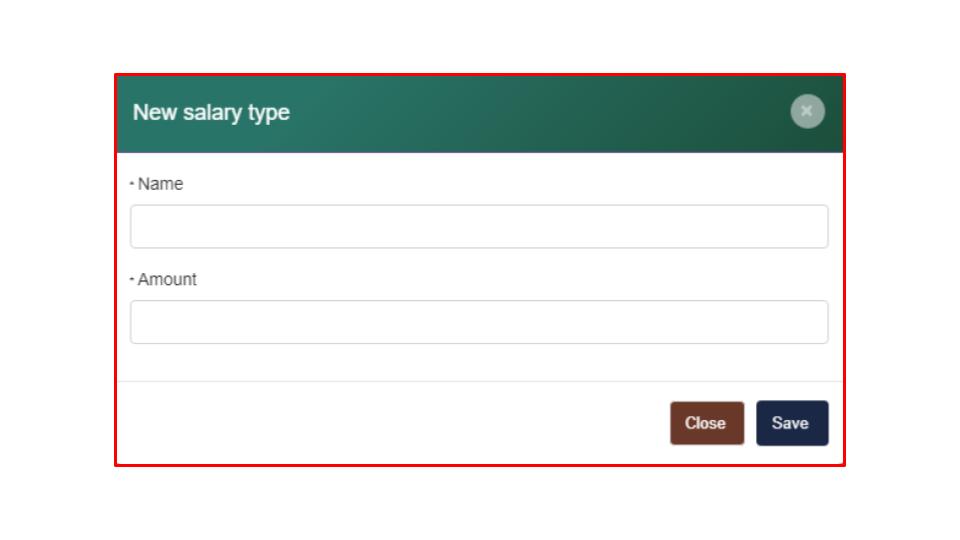
Search Knowledge Base Articles
How can I update the salary types within the Human Resource section?
Did you find this article useful?
Related Articles
-
How can I manage my contract types within the Human Resource section?
Navigate to the Human Resources > Settings tab and you will be taken into the Contract type tab. ... -
How can I manage the allowance types within the Human Resource section?
Navigate to the Human Resources > Settings tab and select the Allowance type tab. Next, select th... -
How can I customize my HR departure checklist?
Navigate to the Human Resources > Settings tab and select into the Departure Checklist tab. Next ... -
How can I manage my training types within the Human Resource section?
To manage the training type options available within the training section located within the Human R... -
How can I manage my onboarding template within the Human Resource section?
Navigate to the Human Resources > Settings tab and select the Onboarding template tab. Here you c...